
In the self-service areas of government service halls, citizens can easily complete social security inquiries and submit documents with a simple tap on the Touch Screen Monitor; in airport check-in areas, passengers can quickly print boarding passes using the responsive Multi Touch Display Monitor; in hospital corridors, patients can access their test reports by swiping the screen of a dedicated self-service terminal—today, touchscreen-equipped self-service terminals have permeated every corner of public services. The deep integration of touchscreen technology and self-service terminals has not only restructured the interaction mode of public services but also achieved a double leap in service efficiency and user experience with its unique advantages.
I. Interaction Revolution: Returning Operation to "Intuitive Instinct"
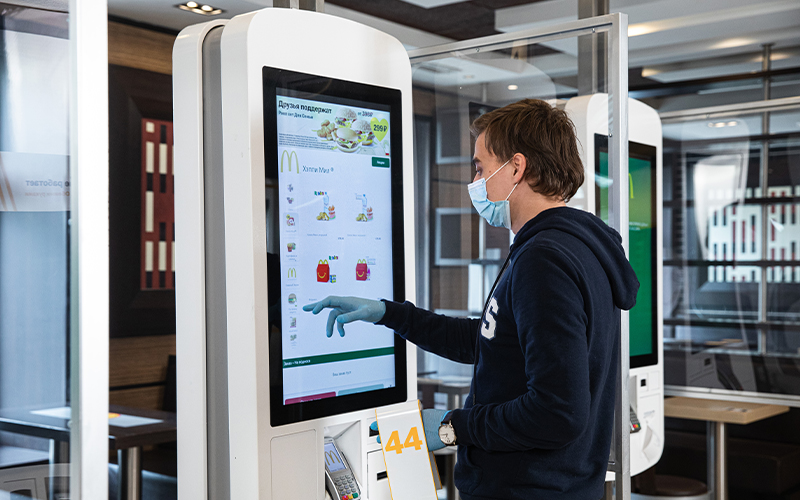
Traditional self-service terminals often rely on physical buttons or keyboards and mice, and their complex operating logic often deters groups such as the elderly and children. The "what you see is what you get" interactive experience brought by Touch Screen Monitor completely breaks down this barrier. Users do not need professional training; they can directly apply their desired options and complete business transactions using familiar natural gestures such as clicking, swiping, and dragging. For scenarios requiring collaborative operations or multi-finger precise control, the Multi Touch Display Monitor further enhances usability, allowing users to zoom in on document details or adjust interface layouts with two fingers effortlessly.
This intuitiveness is also reflected in multi-dimensional guidance design. High-definition Touch Screen Monitor can integrate text and image explanations, animated demonstrations, and voice prompts, transforming complex information such as "registration process" and "payment steps" into easily understandable visual content. Meanwhile, the terminal also supports multilingual switching, screen zooming, and other auxiliary functions, making it easy for both foreigners and visually impaired users to adapt, truly achieving "universal accessibility" and service inclusivity.
II. Efficiency Upgrade: Reconstructing the "Time Logic" of Public Services
In high-frequency service scenarios such as government service halls, hospitals, and transportation hubs, queuing has always been a core pain point for users. Touch Screen Monitor offers a key solution to improve service efficiency. From the service supply side, self-service terminals equipped with Touch Screen Monitor support 24/7 operation without human intervention, essentially providing a "service window that never closes," effectively filling service gaps outside of working hours.
From the user experience side, the terminal's parallel processing capabilities, combined with the responsive operation of Touch Screen Monitor, significantly shorten the time for a single transaction. Data shows that the average processing time for transactions at touchscreen self-service terminals is 30%-50% shorter than at manual windows. During holidays and peak hours, multiple terminals with Multi Touch Display Monitor operating simultaneously can quickly divert crowds and avoid congestion. For example, at a train station self-service ticket machine, passengers can select their destination, confirm their train, and complete payment in just 1-2 minutes, far faster than at a manual window.
III. Cost Optimization: The "Cost Reduction and Efficiency Improvement Code" for Service Operations
For service providers, the advantages of Touch Screen Monitor-equipped self-service terminals are also reflected in significant cost control. On the one hand, the terminal integrates display and operation functions, eliminating the need for additional peripherals such as keyboards and mice. Its smaller size allows for flexible deployment in space-constrained scenarios such as subway stations, convenience stores, and office building lobbies, significantly reducing site occupancy costs. The Multi Touch Display Monitor, despite its advanced functions, maintains a cost-effective advantage in large-scale deployment due to mature manufacturing technologies.
On the other hand, the durability and ease of maintenance of Touch Screen Monitor reduce long-term operating costs. Compared to easily worn mechanical buttons, Touch Screen Monitor has no physically consumable parts, resulting in a lower failure rate and longer lifespan. More importantly, the terminal supports remote monitoring, fault diagnosis, and software upgrades. Staff can perform system maintenance and function updates without on-site disassembly, greatly reducing maintenance workload and labor costs.
IV. Functional Extension: From "Single Service" to "Intelligent Ecosystem"
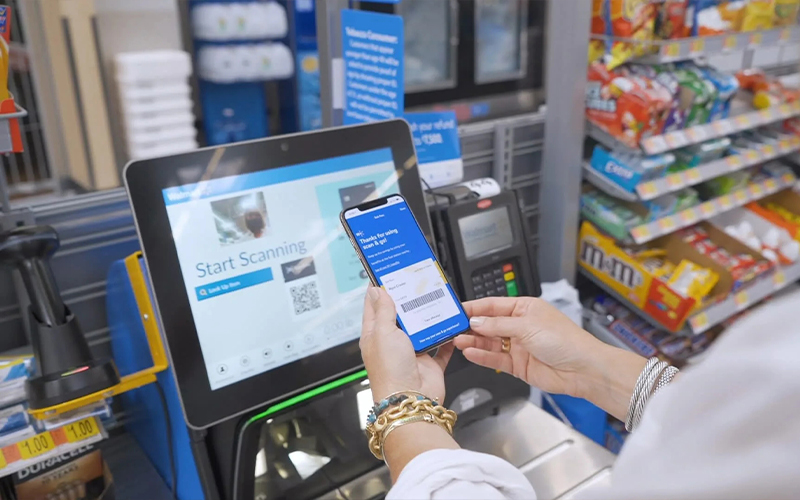
The compatibility of Touch Screen Monitor provides ample room for the functional expansion of self-service terminals. Terminals can dynamically update their interfaces and service modules according to business needs. For example, government terminals can add an "electronic certificate printing" function, shopping mall terminals with Multi Touch Display Monitor can add an interactive "store navigation" service with real-time map zooming, and hospital terminals can upgrade to a "real-time doctor scheduling query" module, enabling rapid service iteration. When Touch Screen Monitor are combined with technologies such as AI and facial recognition, self-service terminals can achieve a leap from "passive service" to "proactive intelligence." For example, by analyzing user touch operation data, AI can identify high-frequency service needs and prioritize relevant functions on the homepage; on intelligent triage terminals, after users input their symptoms via the touchscreen, AI can quickly complete preliminary triage and recommend suitable departments. This intelligent extension transforms self-service terminals from simple "operation tools" into "service stewards" that accurately meet user needs.
V. Environmental Adaptability: Stable Performance in Complex Scenarios
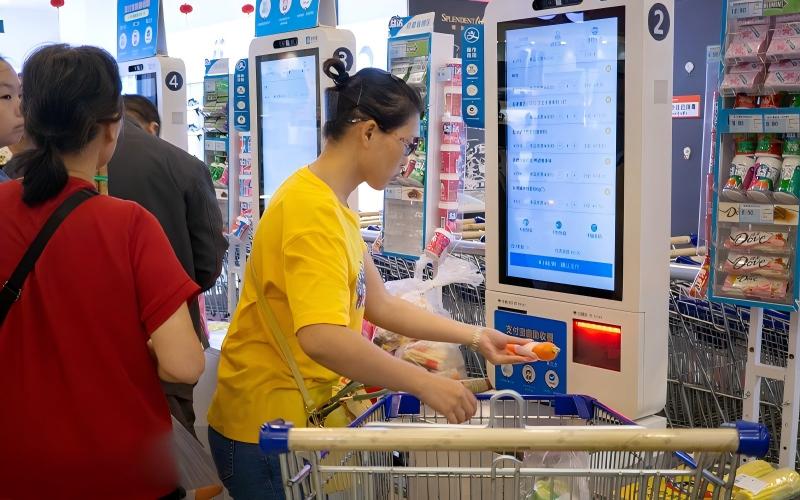
The diverse environments of public settings place stringent demands on self-service terminals, and the characteristics of industrial-grade Touch Screen Monitor perfectly meet these requirements. Outdoor-deployed terminals feature Waterproof Touch Monitor with waterproof, dustproof, and UV-resistant properties, ensuring stable operation even in rainy or high-temperature environments—this is particularly crucial for bus stop electronic signs and outdoor ticket vending machines that are exposed to the elements. Terminals in hospitals, canteens, and other locations use oil- and scratch-resistant Touch Screen Monitor panels, eliminating concerns about damage during routine cleaning; in noisy transportation hubs, the high sensitivity of the Multi Touch Display Monitor ensures accurate response even when users are wearing gloves, a common scenario in cold winter months.
It's worth noting that, against the backdrop of normalized epidemic prevention and control, the "contactless service" advantages of Touch Screen Monitor self-service terminals are becoming increasingly prominent. Users can complete transactions simply by touching the screen without direct contact with staff, effectively reducing the risk of cross-infection and serving as a "safety barrier" in public service scenarios.
From optimizing the interactive experience to improving service efficiency, from controlling operating costs to extending intelligent functions, Touch Screen Monitor technology—including specialized variants like Multi Touch Display Monitor and Waterproof Touch Monitor—has injected powerful vitality into self-service terminals. In the wave of digital transformation, this "touch + self-service" model not only reshapes the form of public services but also uses technological warmth to bring services closer to users, becoming an important support for improving the quality of public services. In the future, with the development of technologies such as flexible touch and holographic touch, self-service terminals will usher in even more imaginative innovations, bringing users a more convenient and intelligent service experience.